Role Management Directory
The Role Management list is the administrative hub for defining staff hierarchy. It allows the Super Admin to categorize personnel based on their operational responsibilities, ensuring a clear separation of duties within the platform's backend.
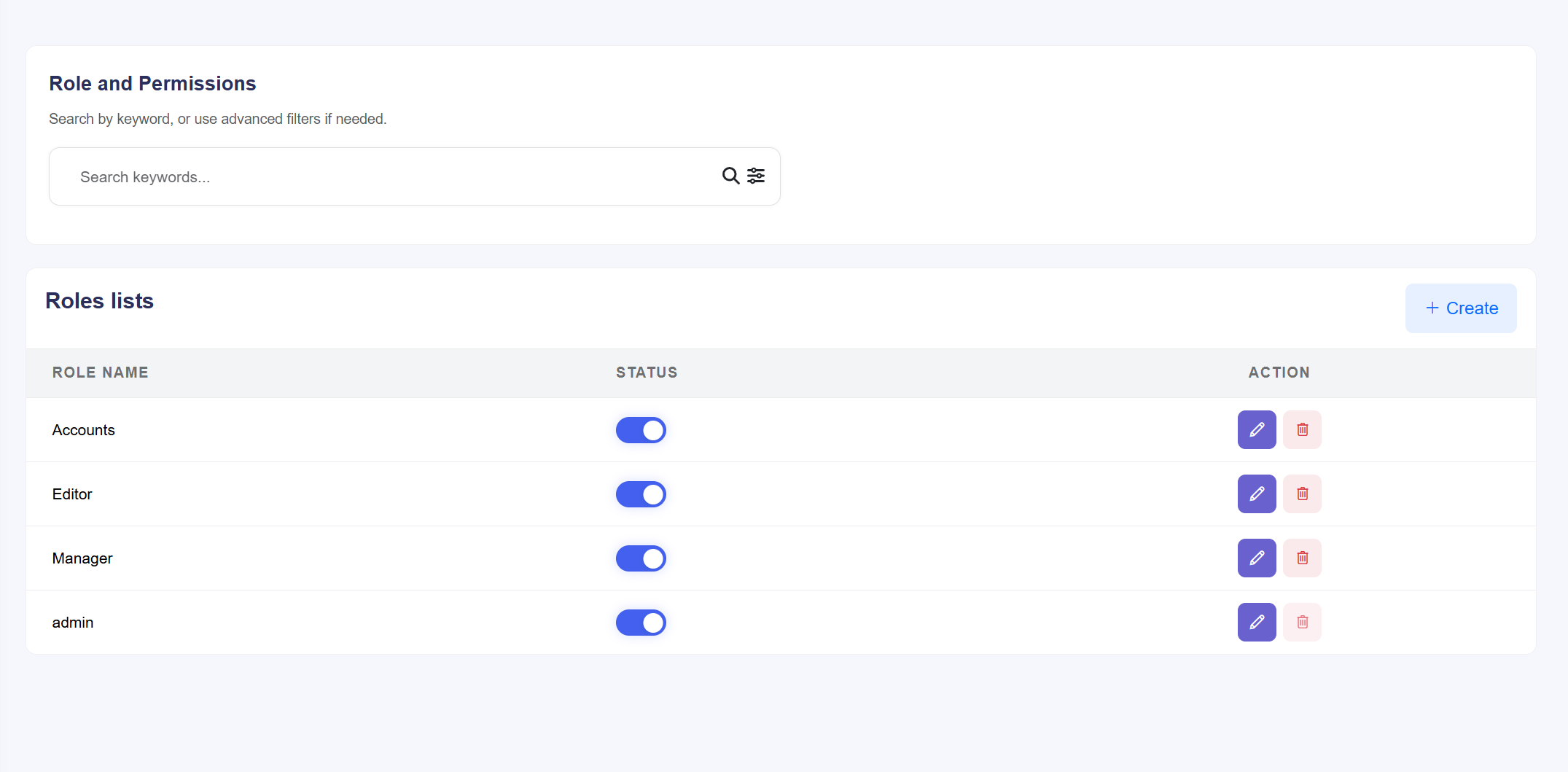
Figure: The master list of administrative roles and their current
status.
Directory Actions & Management
- Role Identification: Displays the custom names assigned to different staff tiers (e.g., "Editor," "Manager," "Support Agent").
- Status Control: Use the Status Toggle to globally enable or disable all staff members assigned to a specific role. This is useful for immediate system-wide access revocation.
- Manual Addition: Click + Create to initialize a new role before assigning specific access rights in the next step.
- Modification Tools: The Edit icon allows you to rename roles or update their permissions, while the Delete icon removes the role from the system entirely.
Role Permission Configuration
The Permission Assignment interface is where the granular security logic is applied. It uses a "Module-Level" access control system to define exactly what an admin can see and do.
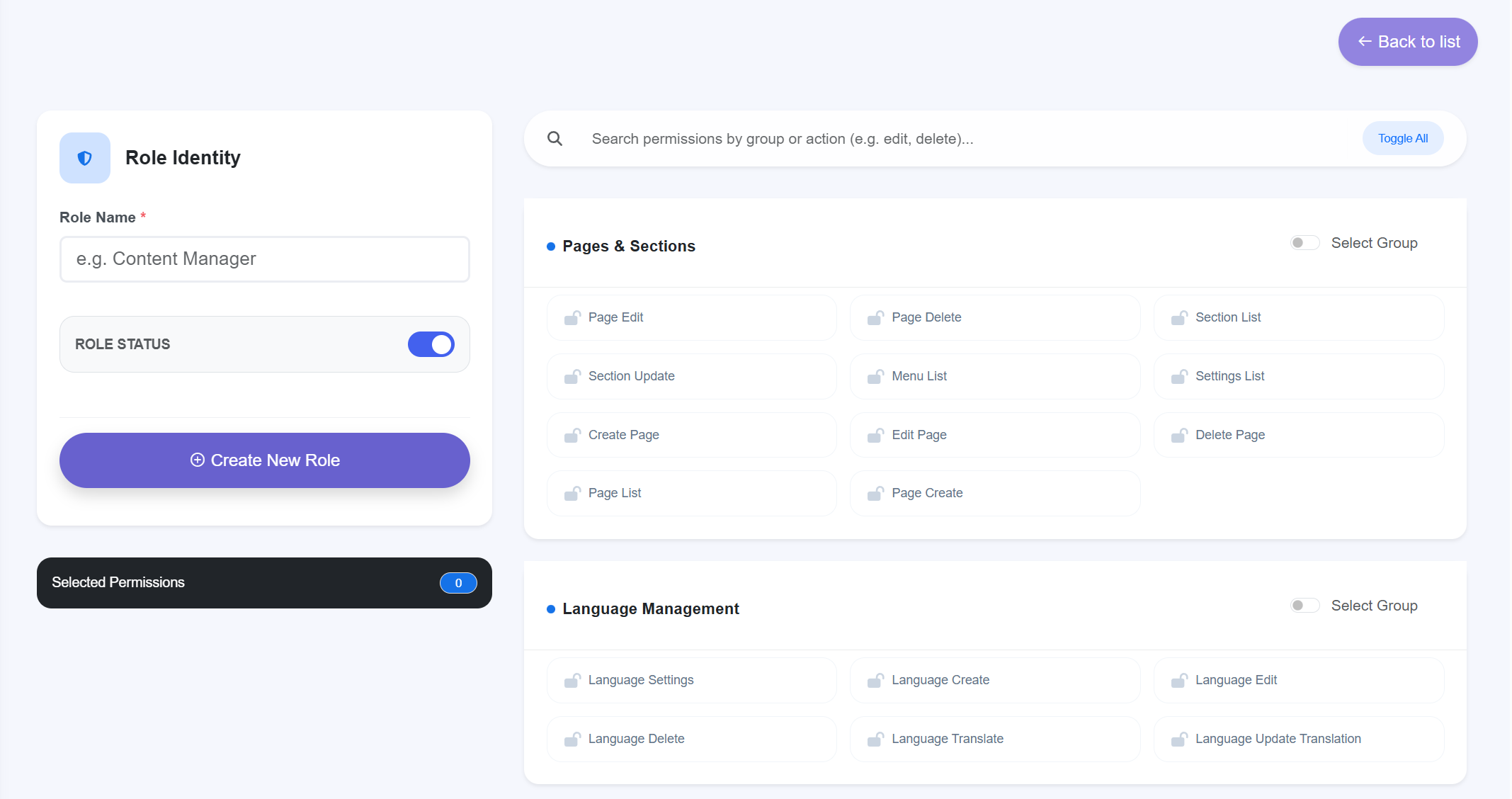
Figure: Detailed permission matrix for restricting staff access to
specific modules.
Permission Logic & Controls
- Granular Checkboxes: Every administrative module (e.g., User Management,
Payment Gateways, SEO Settings) is listed with an individual checkbox.
- Checked: The staff member has full visibility and management rights for that section.
- Unchecked: The module is completely hidden from the staff member's sidebar and dashboard.
- Bulk Selection: Use the Select All or Deselect All options to rapidly configure broad roles like "Super Admin" or "View-Only Auditor."
- Security Hardening: This system ensures that sensitive areas like System Settings or Payment Gateways are only accessible to the highest level of authorized personnel.
Developer Note: This module uses a strict Role-Based Access Control (RBAC)
protocol. After modifying permissions, staff members must refresh their dashboard to see the
updated navigation menu.