v1.0.0 Stable
Event Management & Review List
The Event Management dashboard acts as a primary queue for all events requiring administrative attention. It provides an immediate overview of event types, organizer identities, and scheduled timelines.
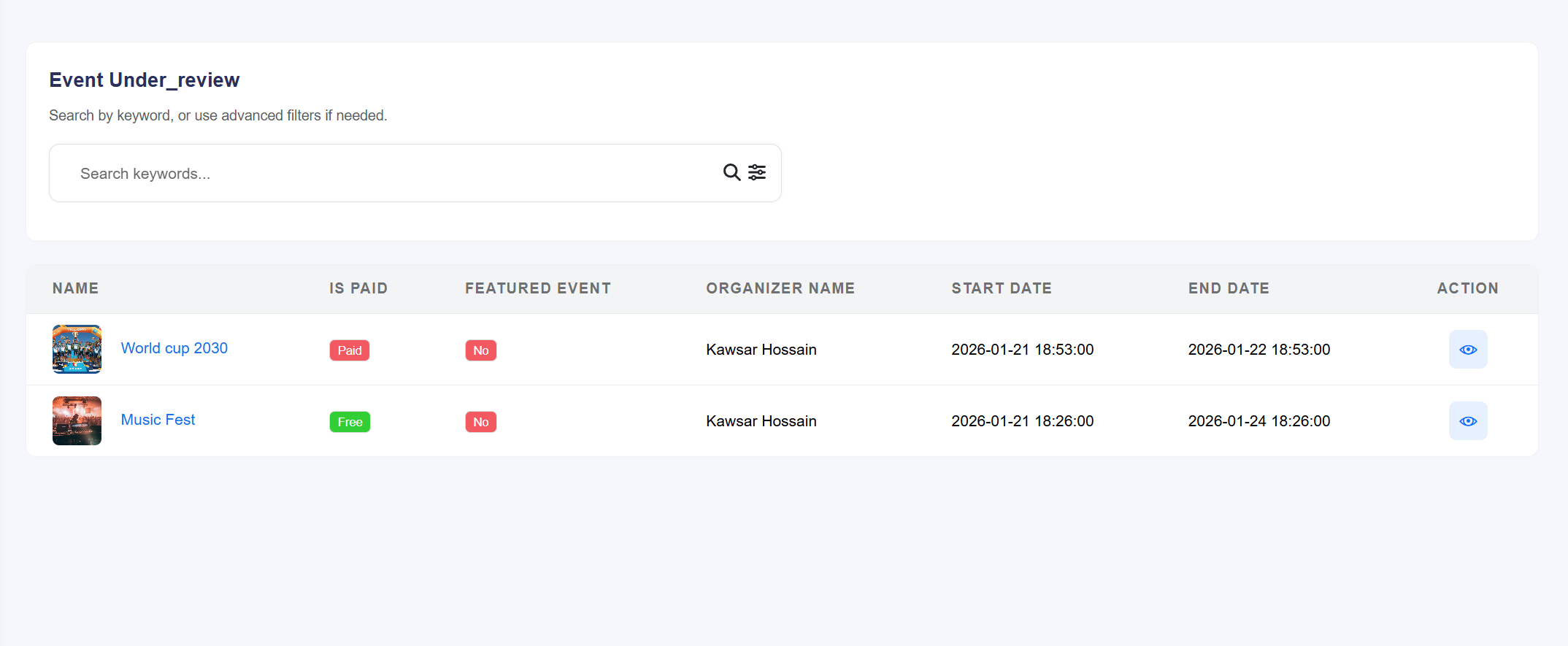
Figure 22.1: The 'Event Under_review' queue for administrative
auditing.
Queue Information Fields
- Event Identity: Displays the event name (e.g., "World Cup 2030") along with its primary promotional thumbnail.
- Monetization Status: Indicates whether an event is Paid or Free via color-coded badges.
- Featured Event Status: Shows a 'Yes/No' badge indicating if the organizer has requested a featured placement.
- Organizer Details: Identifies the user responsible for the event (e.g., "Kawsar Hossain").
- Timeline Monitoring: Lists the specific Start Date and End Date for the event's duration.
- Action: Clicking the View (eye icon) directs the administrator to the detailed review page to finalize a decision.
Detailed Event Audit & Decision Panel
The Event Details page allows administrators to perform a deep-dive audit of all event assets, from ticket pricing to guest speakers, before making a final publication decision.
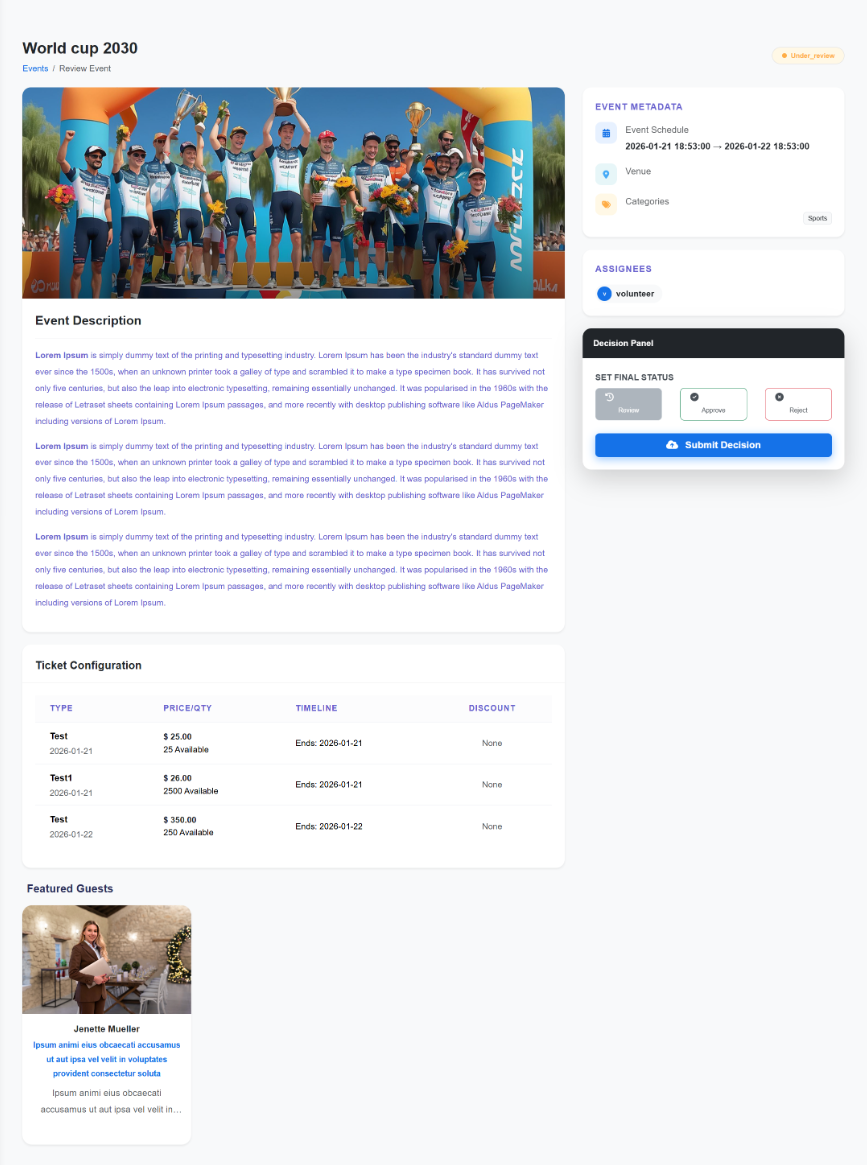
Figure 23.1: Comprehensive audit view featuring metadata, ticket logic,
and the Decision Panel.
Audit Categories
- Event Description & Media: Review the full marketing copy and high-resolution banner images provided by the organizer.
- Ticket Configuration: A detailed table showing Ticket Types (e.g., Test, Test1), Price/Quantity available, sales Timelines, and any applied Discounts.
- Metadata & Assignees: View the assigned category (e.g., "Sports"), venue details, and specific internal staff or volunteers assigned to the event.
- Featured Guests: Audit the profiles of speakers, performers, or VIP guests listed for the event.
23.1 The Decision Panel
The Decision Panel is the final gatekeeping tool for the administrator. Once the audit is complete, the admin must select one of the following statuses:
- Review: Keeps the event in the pending queue for further information.
- Approve: Validates the event and publishes it immediately to the live frontend.
- Reject: Prevents the event from being published. (Organizers are typically notified of the rejection).
Administrative Protocol: After selecting a status in the Decision Panel, click
Submit Decision to finalize the update and update the site's live event
listings.