Blog Management
This documentation explains the complete blog management system including blog categories and blog CRUD operations. Learn how to create, manage, and organize your blog content efficiently.
Overview
The Blog Management system provides comprehensive functionality to manage blog posts and categories. It includes features for creating, editing, deleting, and organizing blog content with proper categorization and SEO optimization.
Key Features
- Blog Categories: Create and organize blog posts into categories
- Blog CRUD: Complete Create, Read, Update, Delete operations
- Rich Text Editor: WYSIWYG editor for blog content
- Image Upload: Support for blog featured images and inline images
- SEO Optimization: Meta tags, slugs, and SEO-friendly URLs
- Status Management: Draft, Published, and Archived status
- Tags System: Tag blog posts for better organization
Blog Category Management
Blog categories help organize your blog content into logical groups, making it easier for users to navigate and find relevant content.
Create Blog Category
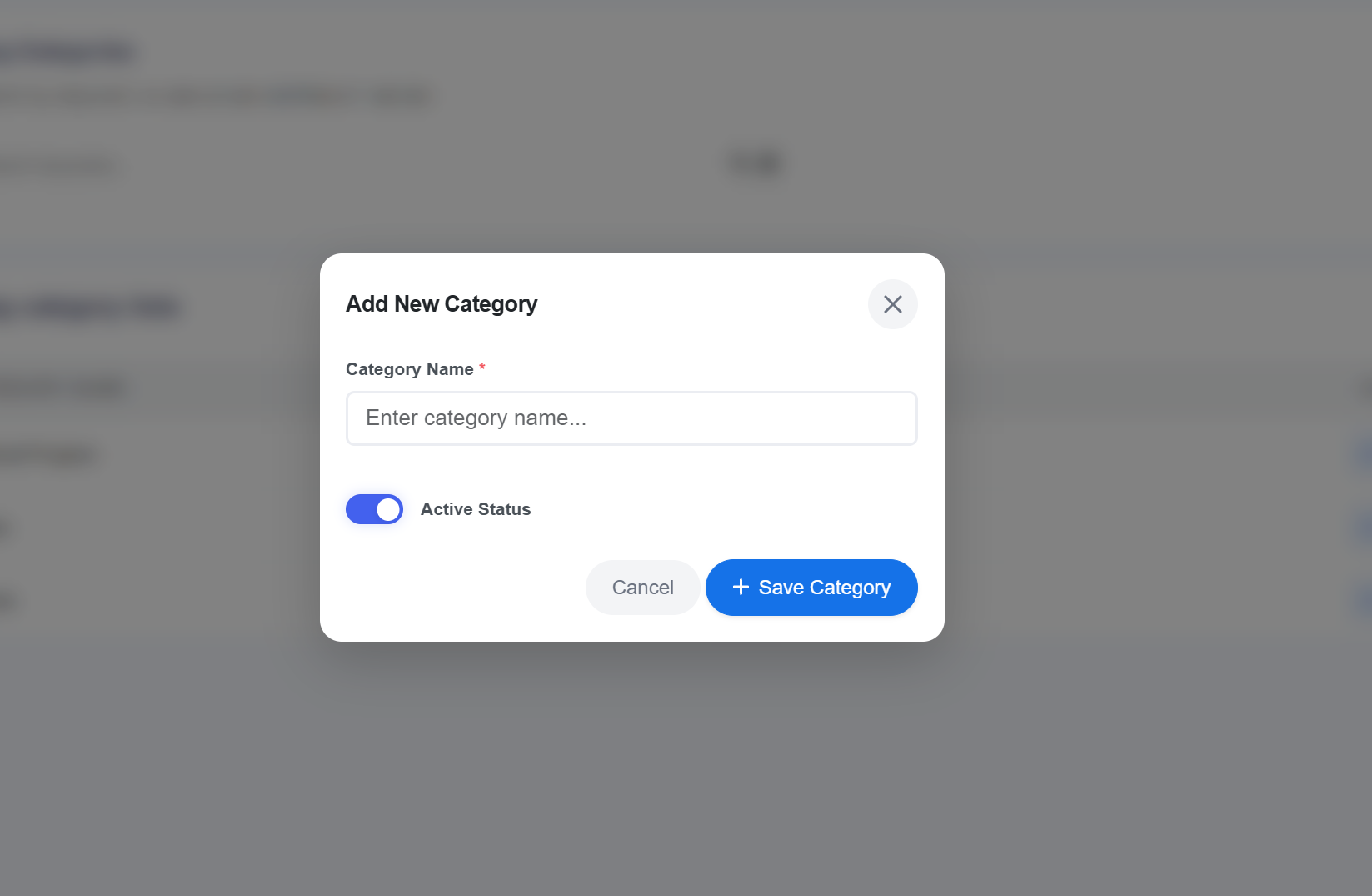
To create a new blog category:
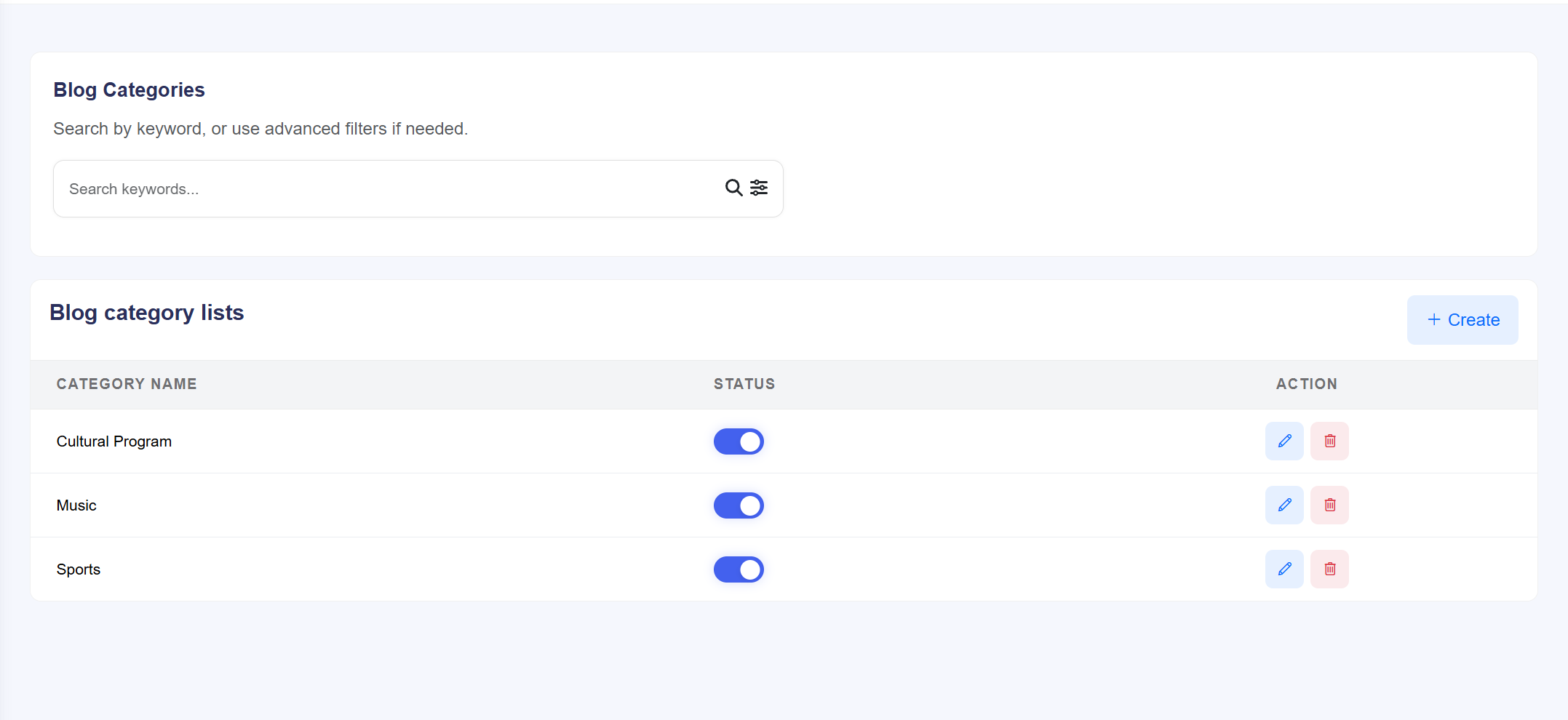
- Navigate to Admin Panel → Blog Management → Categories
- Click the "Add New Category" button
- Fill in the category details:
- Name: Category name (e.g., "Technology", "Events", "News")
- Status: Set category as active or inactive
- Click "Save Category" to create the category
Manage Blog Categories
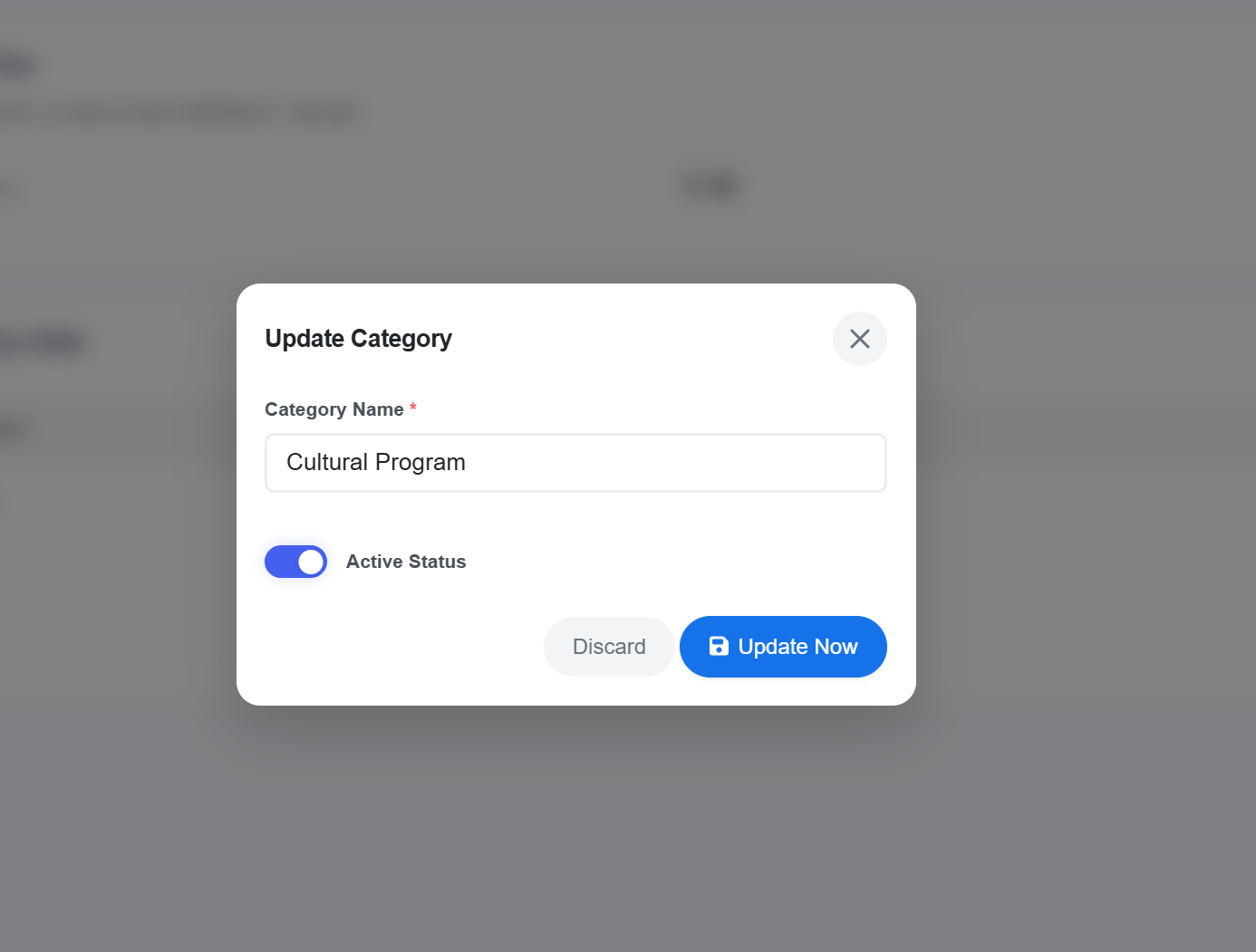
The category management interface provides the following operations:
| Operation | Description |
|---|---|
| Edit | Modify category name |
| Delete | Remove category (blogs will be moved to uncategorized) |
Blog CRUD Operations
Complete blog management with full CRUD operations for creating, reading, updating, and deleting blog posts.
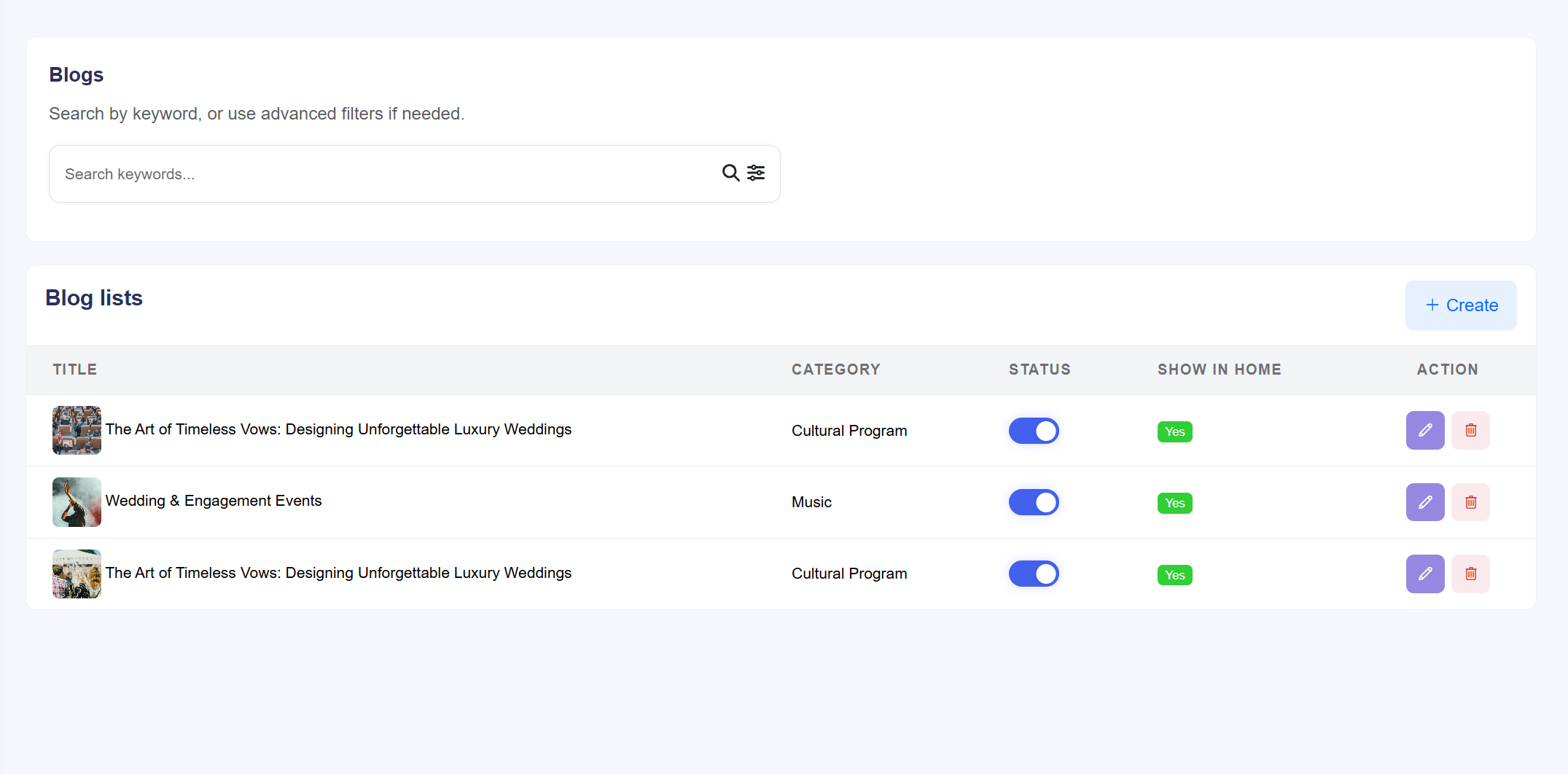
Create New Blog Post
To create a new blog post:
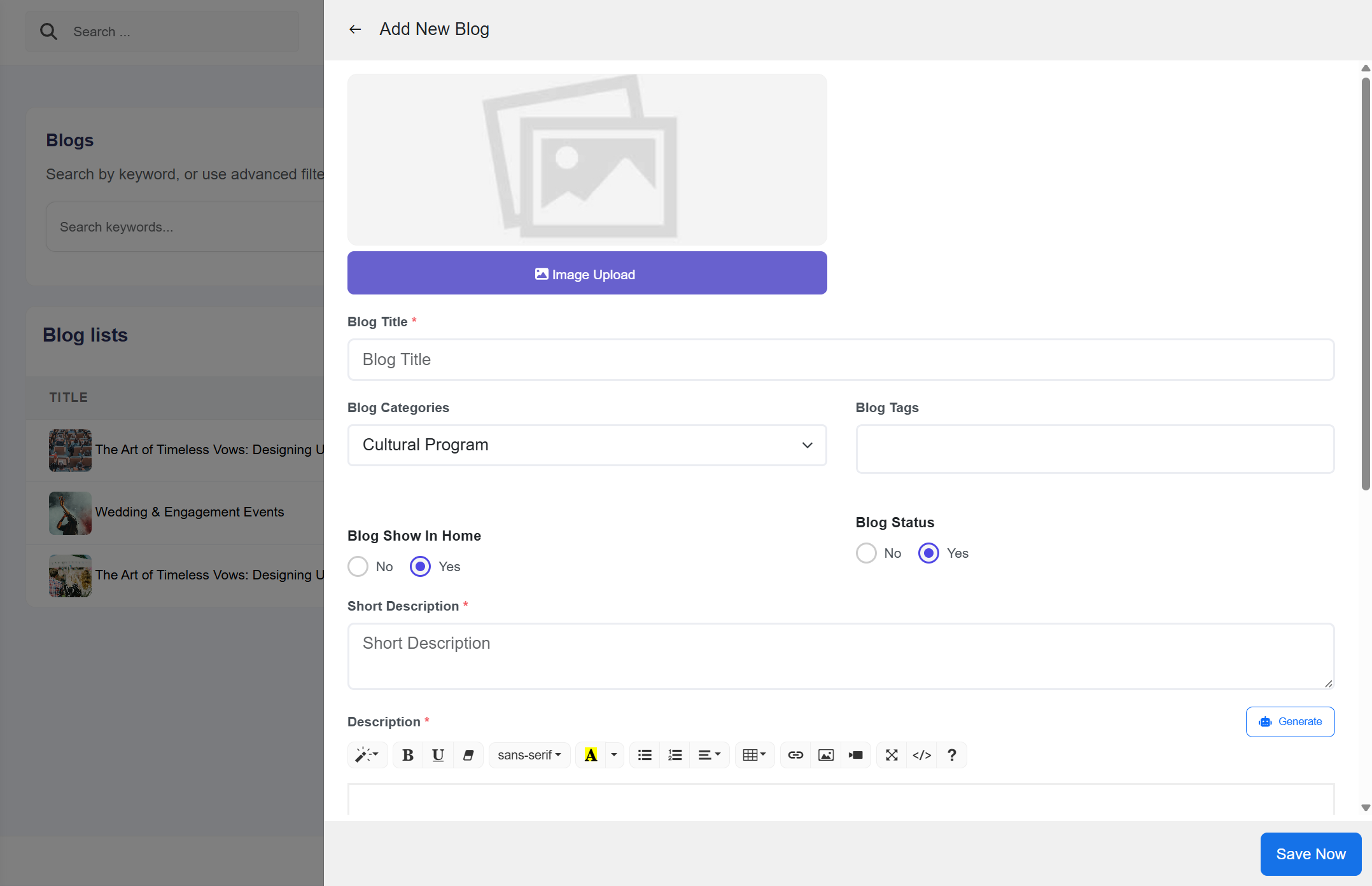
- Navigate to Admin Panel → Blog Management → Add New Blog
- Fill in the blog details:
- Title: Enter blog post title
- Category: Select appropriate category
- Tags: Add relevant tags
- Content: Write blog content or use AI generation
- Featured Image: Upload blog cover image
- Status: Set as draft or published
AI-Powered Blog Description Generation
Blog descriptions can be generated using AI to create compelling and SEO-friendly descriptions for your blog posts.
🤖 AI Description Generation Features:
- Auto-Generated Descriptions: AI creates engaging blog descriptions based on your content
- SEO Optimization: AI-optimized descriptions for better search rankings
- Meta Descriptions: Generate SEO-friendly meta descriptions for search engines
- Excerpt Creation: Automatic blog post excerpts for previews
- Multiple Options: Several description variations to choose from
How to Use AI Description Generation:
- Write your blog content or provide blog topic
- Click the "Generate Description with AI" button
- Select description preferences:
- Length: Short (100 chars), Medium (160 chars), or Long (300 chars)
- Tone: Professional, casual, promotional, etc.
- Focus: SEO-focused, user-focused, or balanced
- Click "Generate Description" to create AI-powered description
- Review and select the best description option
- Edit as needed and save your blog post
Update Blog Post
To edit an existing blog post:
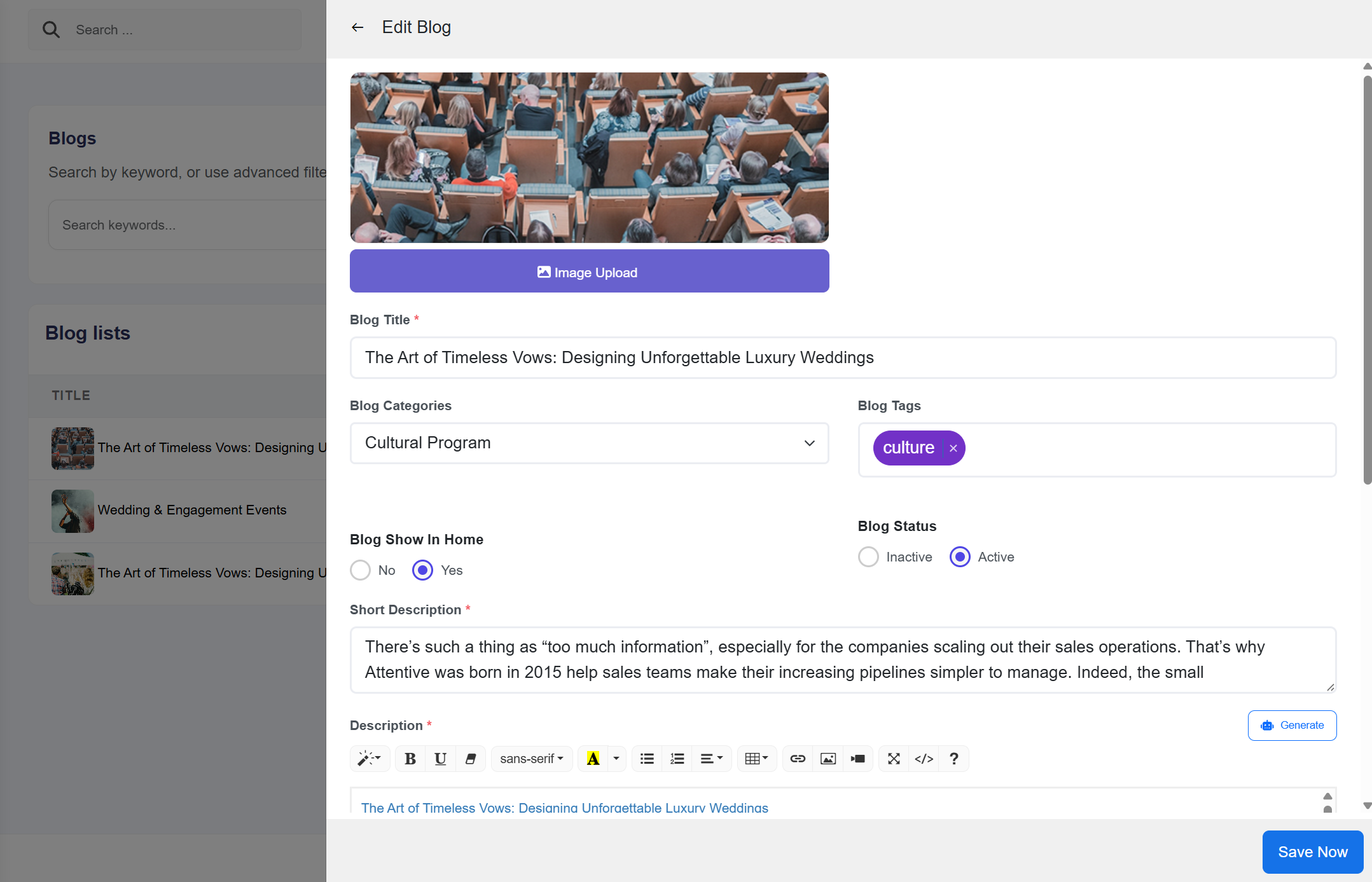
- Go to Admin Panel → Blog Management → All Blogs
- Find the blog post you want to edit
- Click the "Edit" button
- Make your changes to any field
- Click "Update" to save changes
Delete Blog Post
To delete a blog post:
- Navigate to the blog listing page
- Find the blog post to delete
- Click the "Delete" button
- Confirm the deletion in the modal dialog