Coupon Management
The Coupon Management module provides a powerful way to boost event attendance through strategic discounting. Administrators can create time-bound or usage-bound codes that users apply at checkout to reduce their ticket costs.
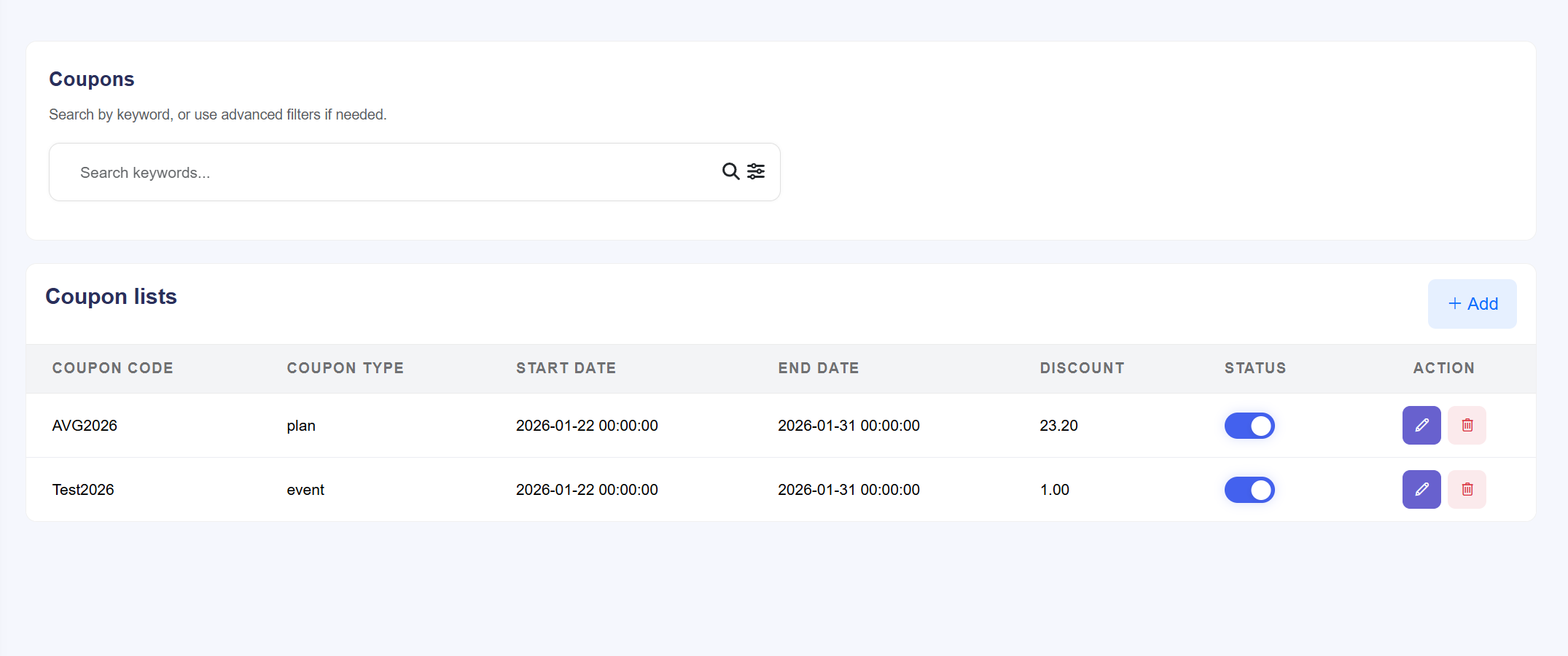
Figure: The central dashboard for creating and monitoring promotional
coupons.
Coupon Configuration & Controls
- Dynamic Code Creation: Click the + Create button to generate a new promotional code. You can define unique codes (e.g., SAVE20 or EARLYBIRD).
- Discount Logic: Manage how the value is deducted from the ticket price:
- Fixed Amount: A specific currency value is deducted (e.g., $10 off).
- Percentage: A portion of the total is deducted (e.g., 15% off).
- Usage Boundaries: Set limits to prevent abuse of the promotion:
- Minimum Purchase: The coupon only activates if the cart total meets a specific threshold.
- Maximum Usage: Define how many times a code can be used globally (e.g., limited to the first 100 users).
- Time Sensitivity: Define Start Dates and End Dates. Coupons will automatically deactivate once the expiry date is reached, ensuring marketing offers remain relevant.
- Status & Maintenance:
- Status Toggle: Instantly enable or disable a coupon without deleting it. Useful for pausing campaigns.
- Actions: Use the Edit icon to update limits or the Delete icon to remove expired promotions from the database.