Organizer List Management
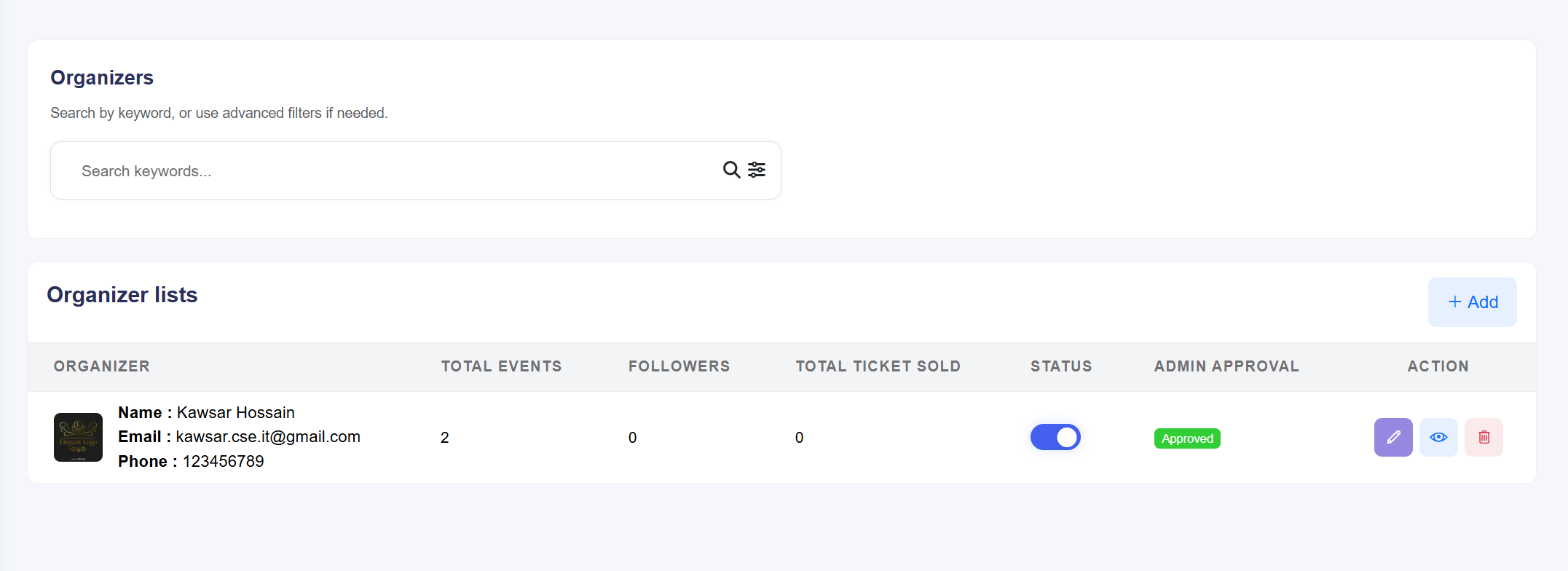
The Organizer List is the central command center for managing all event hosts on the platform. From this interface, administrators can oversee active accounts, manually onboard new partners, and control host accessibility.
Core Administrative Actions
- Manual Organizer Creation: Click the + Create button in the top right corner to manually register a new organizer. This is used for corporate partners or hosts who do not use the standard frontend request flow.
- Profile Editing: Access the Edit (blue pen icon) for any organizer to modify their business name, contact information, branding assets (Profile & Cover images), and account security settings.
- Status Control (Disable/Enable): Use the Status toggle in
the table to instantly control platform access.
- Enabled: The organizer can create events and sell tickets.
- Disabled: The organizer is restricted from dashboard access, and their public profile may be hidden.
- View Organizer Details: Click the View (eye icon) to enter the comprehensive detailed dashboard. This view displays performance metrics, total tickets sold, follower counts, and full transaction history for that specific host.
- Financial Oversight: Monitor the Balance column to see the real-time earnings currently held in each organizer's wallet.
Organizer Detailed Audit
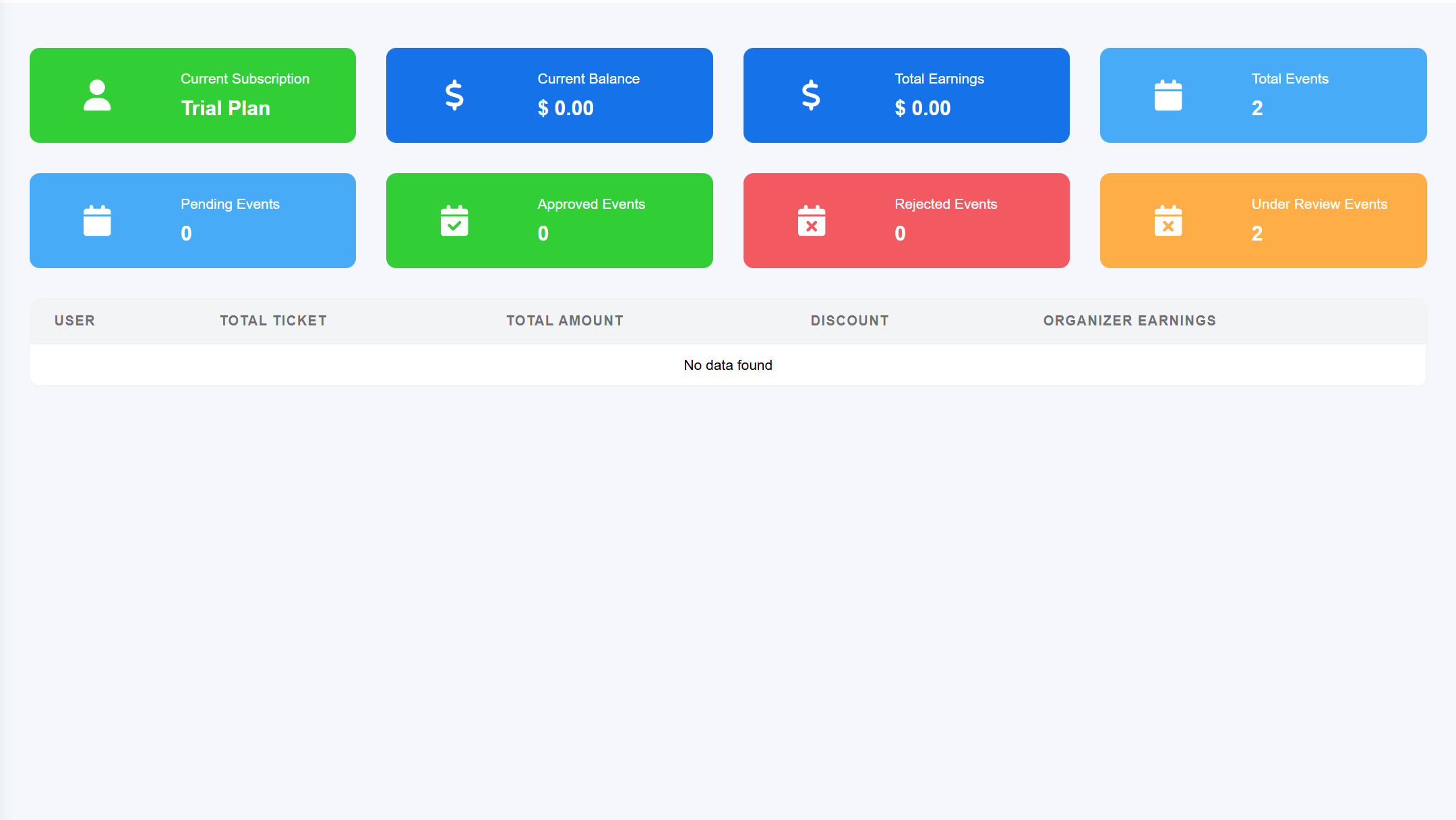
The Organizer Details page provides a 360-degree view of a host's activities, financial performance, and public identity. This view is used by administrators to audit the host's success and manage their account security.
Information & Analytics Overview
- Performance Statistics: Monitor real-time growth metrics through dedicated
data cards:
- Total Events: The count of all historical and active events hosted.
- Total Followers: The number of users who have opted-in to receive updates from this host.
- Total Tickets Sold: The cumulative volume of successful ticket transactions.
- Public Identity Management: View and manage how the organizer appears to
users on the frontend:
- Profile & Cover Images: Audit the high-resolution branding assets.
- About Organization: Review the professional biography and business description.
- Social Connectivity: Verify linked social media profiles used for external promotion.
- Account Controls:
- Status Tracking: See the current verification level and account standing.
- Security Management: Access tools to manually reset passwords or manage account access if a host reports a security issue.
- Financial Summary: View the linked wallet balance, allowing you to see exactly how much the organizer has earned versus their pending withdrawals.
Organizer Requests & Verification
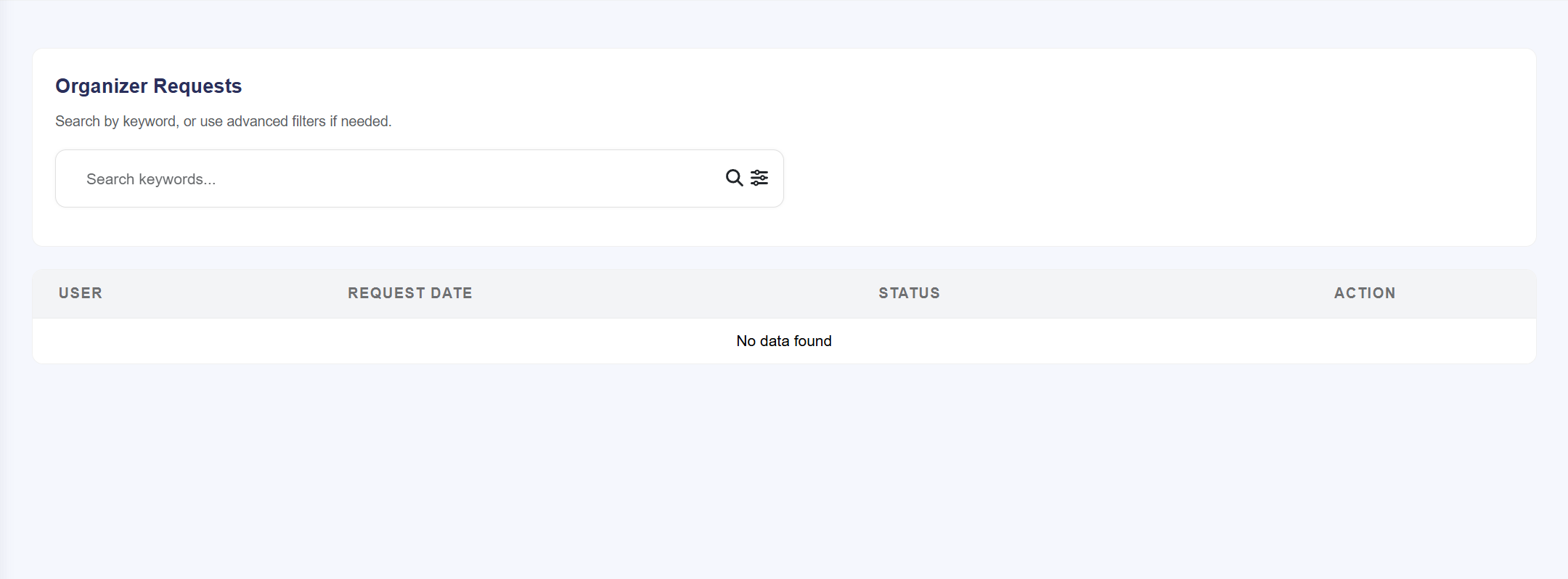
The Organizer Request module manages the transition of standard users into professional event hosts. This interface allows administrators to audit applications and control the quality of organizers entering the platform ecosystem.
Request Processing Workflow
- Application Queue: A real-time table displaying all users who have filled out the "Become an Organizer" form. It lists the User Name, Email, and the Request Date.
- Information Audit: Click the View (eye icon) to open the
full application. Here, administrators can review:
- The user's professional background or business portfolio.
- Uploaded identification or business registration documents.
- Contact details and proposed event categories.
- Decision Actions:
- Accept (Approve): Instantly upgrades the user's role to Organizer. This unlocks their host dashboard and allows them to begin listing events.
- Reject: Denies the request. The user remains a standard customer and is notified of the rejection (if automated emails are enabled).